Image to PDF and PDF to image: the clean document workflow
Learn when to combine images into a PDF, when to export PDF pages as images, and how to keep files organized.
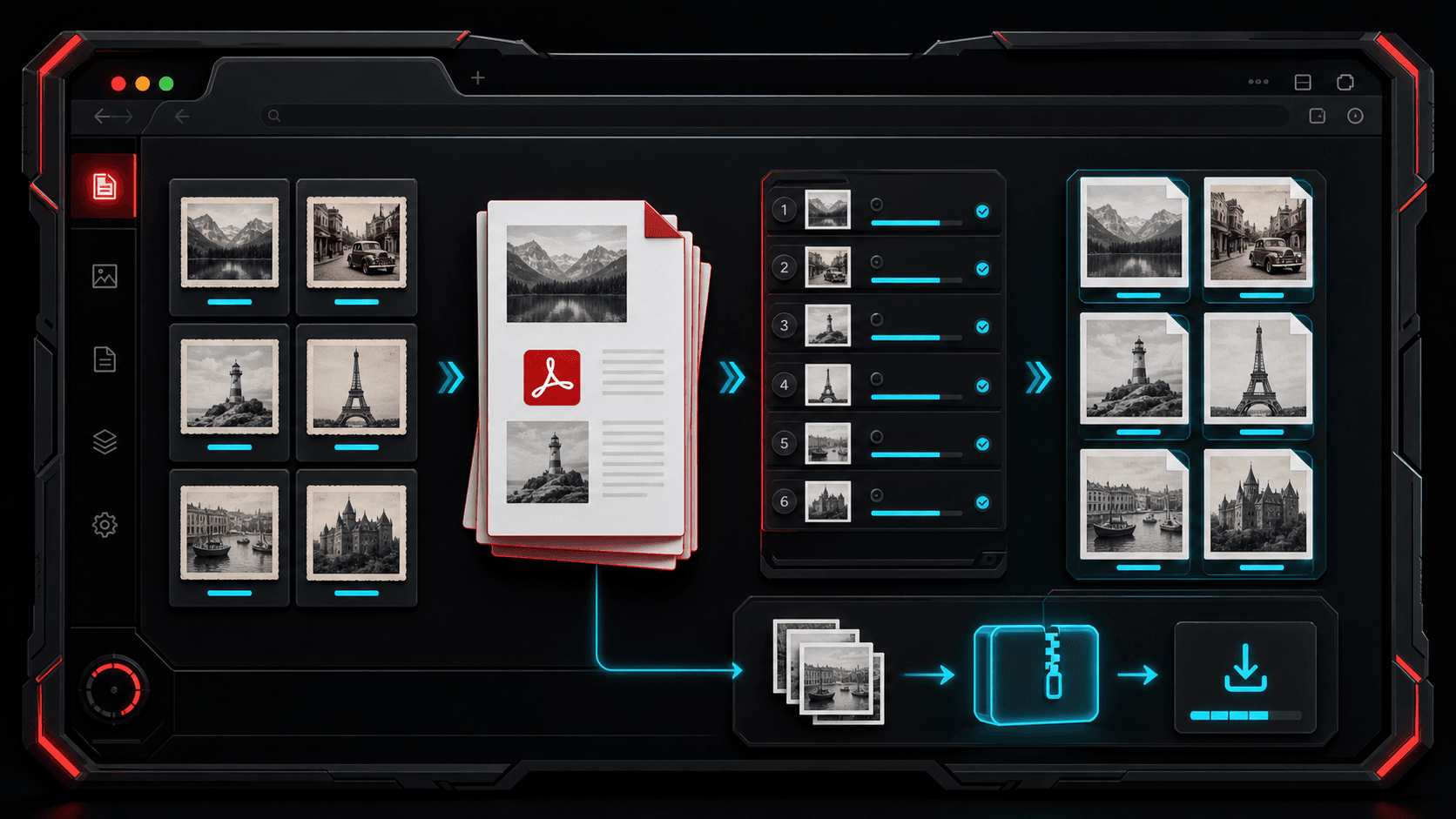
PDF conversion is usually about control. Sometimes you need one clean file from multiple images. Other times you need each PDF page as a separate image for uploading, editing, or sharing. TheFramex keeps those jobs separated into focused tools.
Use image to PDF for grouped delivery
If you have scans, receipts, design proofs, worksheets, or screenshots, combining them into one PDF makes the file easier to send and review. Put the pages in order first, then export.
Use PDF to image when a page needs editing
A PDF is not always easy to crop, annotate, or upload to image-only platforms. Exporting pages as PNG, JPG, or WEBP gives you separate files that are easier to reuse.
Choose output format by destination
PNG is strong for crisp text and screenshots. JPG can reduce file size for image-heavy pages. WEBP works well when the exported pages are headed to a modern web workflow.
Keep naming and page order simple
Before converting, remove duplicate images and arrange pages in the order you want people to read them. A clean source set saves time after export.
Use ZIP exports for multi-page PDFs
When a PDF has several pages, downloading each page separately becomes annoying. A ZIP export keeps the rendered pages together and makes the output easier to move or upload.
Quick checklist
Questions
Can I convert images to one PDF?
Yes. TheFramex can combine supported image files into a single ordered PDF document.
Can a PDF page become an image?
Yes. The PDF to Images tool renders PDF pages as downloadable image files.
Which image format should I export from a PDF?
PNG is usually best for crisp page detail, while JPG or WEBP can be better when smaller files matter more.